
Download GParted Live – disk partitioning, partition manager, bootable USB, GParted Live, Linux utility, hard drive management, non-destructive partitioning, disk tool, partition editor, secure partitioning
Overview
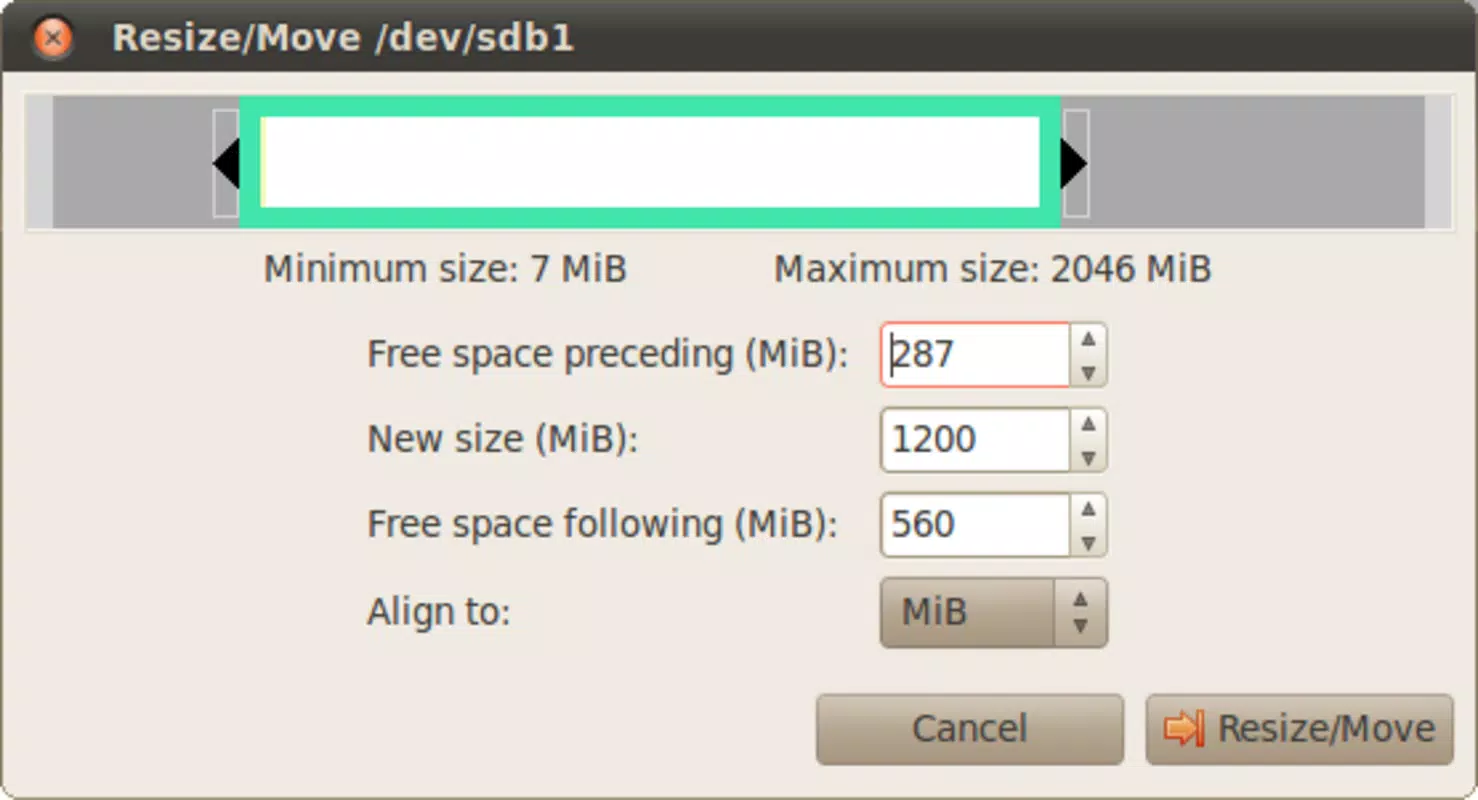
GParted Live is a specialized disk partitioning utility designed for users who need to manage and modify hard disk partitions with precision and safety. As a standalone tool, it operates outside the installed operating system, allowing users to safely resize, create, delete, or move partitions without altering the existing system environment. This makes it particularly valuable during operating system installations, disk reorganization, or troubleshooting storage issues. The app is especially useful for advanced users, system administrators, and Linux enthusiasts who require granular control over disk layouts.
By functioning as a bootable environment, GParted Live avoids potential conflicts with active file systems and ensures that changes are applied directly at the hardware level. Its non-destructive partitioning capabilities mean that data remains intact during operations, reducing the risk of accidental loss. While the developer did not provide additional technical details about the target user base, the tool is widely recognized in the open-source community as a reliable solution for disk management tasks. Real-world use cases include preparing drives for dual-boot setups, expanding storage space, or repurposing old drives for new systems.
Within the broader ecosystem of system utilities, GParted Live stands out as a lightweight yet powerful tool that fills a critical gap in disk management. It is not a mobile app in the traditional sense but is designed for use on desktop and laptop systems via bootable media. Despite its niche functionality, it remains a cornerstone tool for anyone serious about maintaining or reconfiguring their storage infrastructure securely and efficiently.
Key Features & Functionality
- Non-Destructive Partitioning – Allows users to resize, move, or split partitions without erasing data. This feature is essential for safely expanding storage or creating space for new operating systems.
- Bootable CD or USB Support – Users can run GParted Live directly from a CD or USB drive, enabling access to disk management tools without relying on the host operating system.
- User-Friendly Interface – Features an intuitive graphical interface that simplifies complex partitioning tasks, making it accessible to users with varying levels of technical expertise.
- Multi-File System Compatibility – Supports a wide range of file systems including ext4, NTFS, FAT32, Btrfs, and more, ensuring broad usability across different platforms and disk types.
- Data Backup Recommendation – While the tool is designed to prevent data loss, the developer advises users to maintain backups as a precautionary measure during any partitioning operation.
For example, a user preparing to install Linux alongside Windows can use GParted Live to shrink the existing Windows partition and create a new one for Linux, all while preserving existing data. Similarly, someone repurposing an old drive for a backup server can use the tool to reformat and partition the drive efficiently. These practical applications highlight how GParted Live bridges technical complexity with user accessibility, making advanced disk management achievable for a broader audience.
Interface, UX & Performance
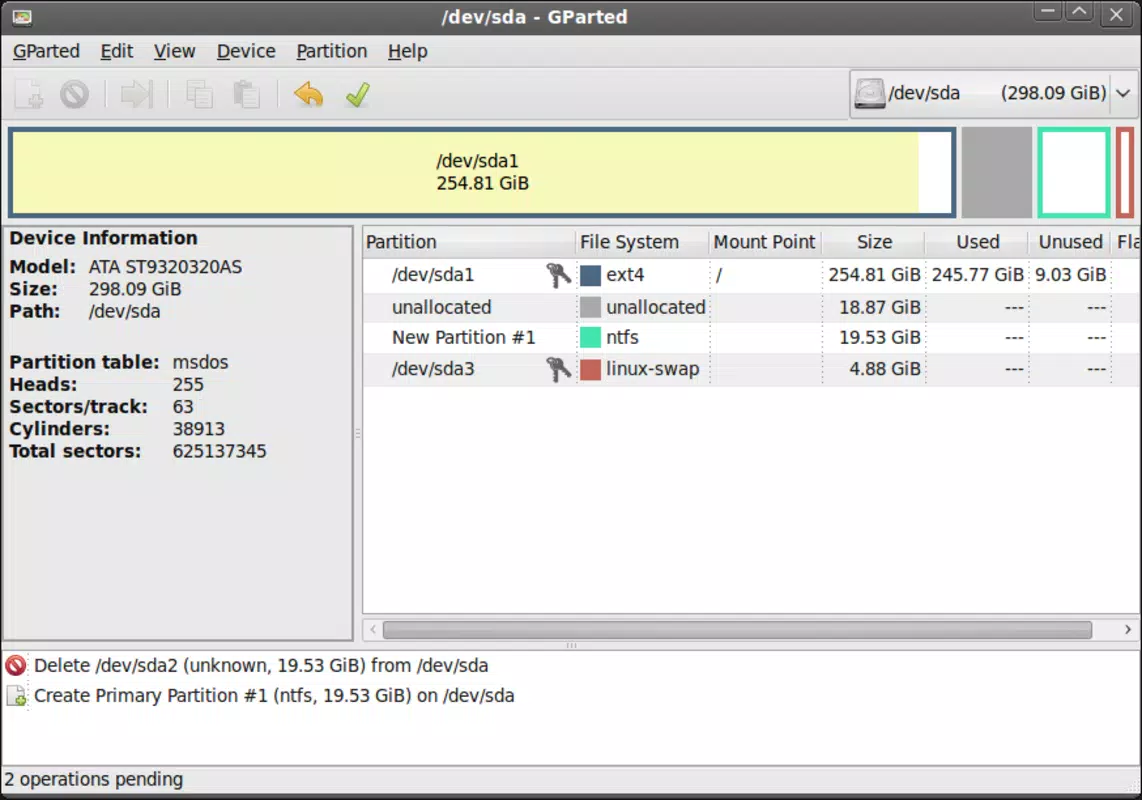
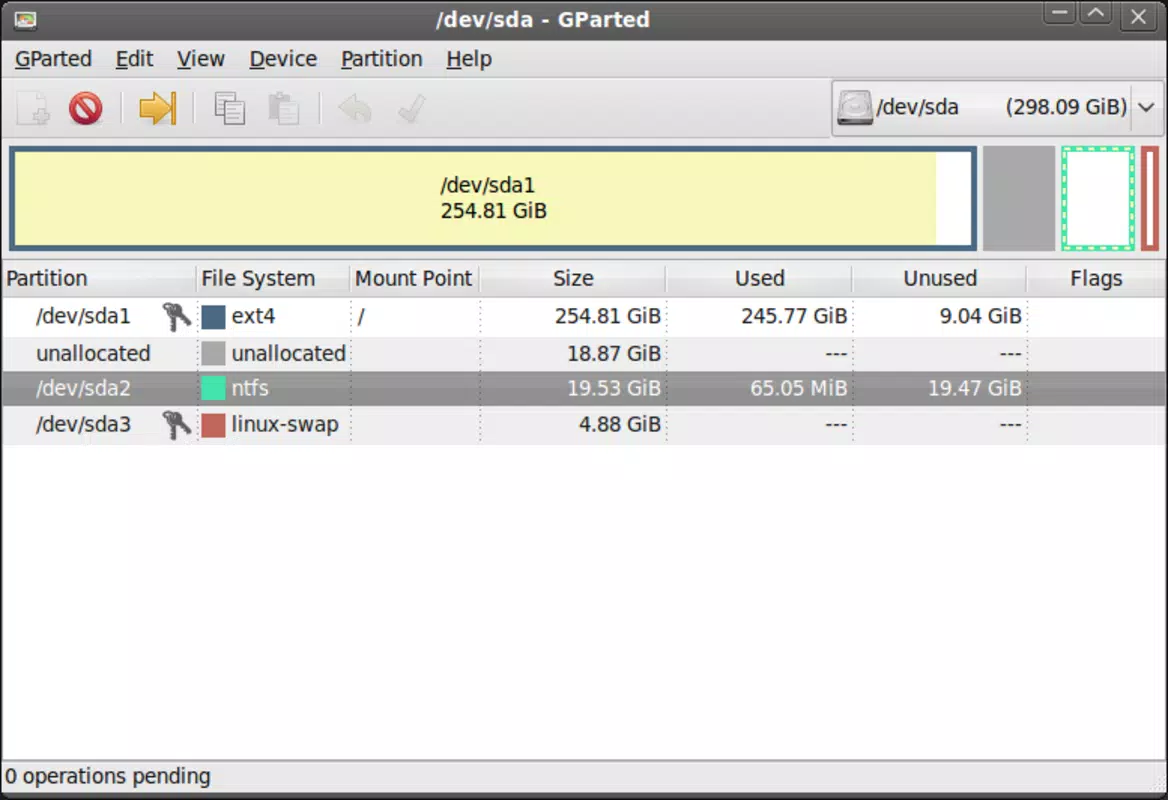
The interface of GParted Live is clean and focused, designed to prioritize clarity and functionality over visual flair. It presents disk drives and their partitions in a hierarchical layout, allowing users to visualize the entire storage structure at a glance. Navigation is straightforward, with context-sensitive menus and action buttons placed logically for quick access.
Although the developer did not list formal performance metrics, the tool is known for its responsiveness during typical partitioning tasks such as resizing or moving partitions. It performs reliably across various hardware configurations, including older systems with limited resources. The application maintains stability during extended operations, minimizing the risk of crashes or data corruption.
Users interacting with the interface report a smooth experience, particularly when working with drives that have a moderate number of partitions. However, performance may vary depending on the speed of the bootable media and the underlying hardware. The lack of real-time progress indicators for certain operations could be a minor limitation, but overall, the tool delivers consistent results. The UI remains stable and functional throughout the session, even when handling complex disk configurations.
Platform Compatibility & Technical Requirements
GParted Live is designed to run on Linux-based systems and operates as a live environment, meaning it does not require installation. It is distributed as a bootable image compatible with both CD and USB drives. The app is available in a 220 MB file size, making it lightweight and easy to distribute.
The developer did not specify minimum OS requirements or version compatibility beyond the platform. It is assumed to be compatible with standard x86 and x86-64 architectures, common in most desktop and laptop computers. Specific requirements for RAM, CPU, or storage were not listed. Users are advised to ensure their system supports booting from external media and has a USB port or CD/DVD drive available.
Compatibility information was not fully disclosed, so users should verify their system’s boot capabilities before attempting to use the tool. While it is primarily intended for desktop and laptop use, it is not optimized for mobile devices or tablets. The lack of mobile platform availability is expected given its nature as a system-level utility.
Pros and Cons
Pros
- Non-destructive partitioning ensures data safety during disk modifications.
- Bootable from USB or CD allows use without installing software.
- Supports multiple file systems, enhancing cross-platform compatibility.
- Free to download and use, with no licensing restrictions.
- Stable performance and reliable operation in real-world scenarios.
Cons
- Not available as a mobile app; intended for desktop/laptop use only.
- Limited documentation for beginners despite a user-friendly interface.
- Requires booting from external media, which may be inconvenient for some users.
- No built-in automatic backup functionality.
- Performance may vary depending on the speed of the bootable drive and hardware.
FAQ
Is GParted Live safe to use?
Yes, GParted Live is designed with safety in mind. It uses non-destructive methods to modify partitions, preserving data during operations. However, users are advised to back up important files before starting any partitioning task.
Can I install GParted Live on my smartphone?
No, GParted Live is not available for mobile platforms. It is a desktop utility that runs from a bootable USB or CD and is not compatible with Android or iOS devices.
What file systems does GParted Live support?
GParted Live supports a wide range of file systems, including ext4, NTFS, FAT32, Btrfs, XFS, and others. This ensures compatibility with most modern operating systems and storage devices.
Do I need to install anything to use GParted Live?
No installation is required. You can run GParted Live directly from a USB drive or CD. Simply boot your computer from the media to access the tool.
How often is GParted Live updated?
The developer releases updates periodically to fix bugs and improve compatibility. The latest version available is 1.6.0, released on April 1, 2024. Users should check the official website for the most recent release.
Final Thoughts
GParted Live remains a vital tool for anyone needing to manage disk partitions with confidence and precision. Its combination of non-destructive operations, broad file system support, and bootable functionality makes it a trusted choice among system administrators, developers, and power users. While not a mobile application, it serves a critical role in desktop computing, particularly during OS installations or disk reorganization.
For users who value data integrity and control over their storage, GParted Live offers a reliable, secure, and free solution. Its straightforward interface and proven performance ensure that even complex tasks can be completed with minimal risk. The lack of mobile availability is a limitation, but it aligns with the tool’s intended purpose as a system-level utility.
Download GParted Live now


